MAPS SCADA is a flexible software for small applications as well as for medium-sized multi-server systems.
MAPS SCADA software is designed for small to medium sized processes, providing an efficient solution for production, energy and infrastructure management. MAPS is a feature-rich, next generation SCADA software that is easy to integrate into Windows operating systems. It enables real-time data monitoring, automated control and rapid operational decisions, increasing productivity and reducing costs. MAPS provides a good solution for collecting and/or analysing data, generating and displaying alarms, sending reports, visualising processes and displaying trends. The ideal choice for companies looking to optimise their processes and improve efficiency.
Graphics
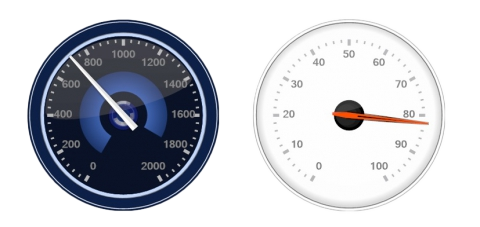
.MAPS SCADA software is built on vector graphics. This means that each element can be zoomed in and out without any loss of visual quality.
MAPS has a very large set of pre-built elements and displays. For many elements, it is also possible to access parts of them, for example, to bind a variable to the colour of only the rear cover of the engine to display the overheating of the bearing.
Many displays can be designed with a choice of styles.
Logs, trends, alerts, reports
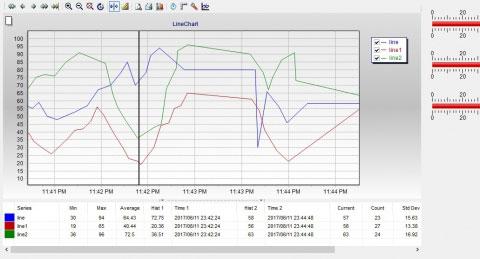
.In MAPS SCADA software, the creation of trends has been made wonderfully easy: the variable log parameters are already set when the variable is declared, and when the trend window is placed, only the names of the variables to be displayed in the trend need to be specified. Placing the trend window on the page is just a couple of mouse clicks.
As with the variable log, the alarm parameters are set when the variable is declared. Alarms can be stored in logs. Alarms can be placed in different lists, and display the parameters that are set in the list.
Reporting is easy: a simple script is used to generate an html file of the report, which can be viewed with a standard browser.
Reports can be generated easily.
Multipliers
.The mainstay of any SCADA software is working with the data (variables - tags) that SCADA passes from the peripheral device (controller) to the database (computer) and back. MAPS SCADA software differs from others already in the way it describes (declares) variables, where not only the name and address of the variable are specified, but also its unit of measurement, conversion to the required scale, setting of submin values, scan period, log parameters and much more. In essence, just by declaring a variable, all possible logs, trends, alarms, etc. associated with it are defined.
There are many variable parameters, all of them are accessible and editable in online! For example, VariableName.value orVariableName.hiHi. The list of parameters for an analog variable is something like this:
agentDescription , agentTagName , catchupData , Changed , enableChange , engMax , engMin , hi , hiDeadBand , High , High-high , hiHi , initValue , lo , loDeadBand , loLo , Low-low , Normal , OutOfRange , Rate-of-change , rawHi , rawHiHi , rawLo ,
First steps with MAPS SCADA software
Check out the MAPS SCADA software introductory tutorial videos!
All videos are subtitled in Estonian.
Tehniline info
- MAPS SCADA draiverite nimekiri
- Juhendid, kataloogid, failid